Multimodale KI: Warum Bilder in der Konstruktion genauso wichtig sind wie Text
Technische Zeichnungen, Berechnungen, Screenshots aus CAD-Systemen: Konstruktionswissen ist zu großen Teilen visuell. Warum KI-Systeme, die nur Text verstehen, im Maschinenbau zu kurz greifen.
Multimodale KI verarbeitet Text und Bild gleichzeitig und versteht damit auch technische Zeichnungen, Berechnungsblätter, CAD-Screenshots und handschriftliche Annotationen. Rein textbasierte Systeme ignorieren diese visuellen Inhalte und erfassen nur einen Bruchteil des Konstruktionswissens. Für den Maschinenbau ist das entscheidend, weil ein großer Teil des Wissens visuell vorliegt.
Stellt euch vor, ihr erklärt einem neuen Kollegen eine komplexe Baugruppe. Ihr schickt ihm die Norm dazu, das interne Wiki und die Projektdokumentation aus dem letzten ähnlichen Auftrag.
Alles als reiner Text. Keine Zeichnungen, keine Skizzen, keine Screenshots aus dem CAD-System.
Wie viel versteht er? Wie schnell kann er wirklich arbeiten?
Genau dieses Problem haben die meisten KI-Systeme im Einsatz heute. Sie können Texte lesen, Dokumente durchsuchen, Antworten formulieren. Aber sobald das eigentliche Wissen in einer Zeichnung steckt, einem Berechnungsblatt oder einem Screenshot aus EPLAN oder SolidWorks, ist Schluss. Die KI sieht: nichts.
Im Maschinenbau ist das ein fundamentales Problem. Denn Konstruktionswissen ist zu einem großen Teil visuell.
Wie sieht Konstruktionswissen wirklich aus?
Fragt man Konstrukteure, wo ihr Wissen steckt, nennen sie selten zuerst die Textdokumentation. Sie nennen Zeichnungen. Bauteilskizzen. Handnotizen auf ausgedruckten Plänen. Screenshots aus dem CAD-System mit eingezeichneten Maßketten. Berechnungstabellen, in denen die Logik in der Struktur der Spalten liegt, nicht in beschreibendem Text.
Das ist kein Zufall. Konstruktion ist eine visuelle Disziplin. Technische Zeichnungen sind die Sprache, in der Ingenieure kommunizieren. Präziser, effizienter und informativer als jede Textbeschreibung.
Eine Explosionszeichnung zeigt in einem Bild, was in zwanzig Seiten Text kaum vermittelbar wäre. Eine Maßkette mit Toleranzangaben enthält in wenigen Zeilen und Zahlen mehr technische Information als ein ganzer Absatz Prosatext. Ein Screenshot aus dem FEM-Programm zeigt sofort, wo die kritischen Spannungsbereiche liegen.
Wer Konstruktionswissen nur als Text verarbeitet, verarbeitet höchstens die Hälfte. Und meistens nicht die wichtigste Hälfte.
Was geht verloren, wenn KI nicht sehen kann?
Die Konsequenzen sind konkret und sie zeigen sich täglich in der Praxis.
Zeichnungen bleiben außen vor. Die meisten Konstruktionsdokumente sind PDFs, und PDFs enthalten in der Praxis beides: Text und Bilder. Titelblöcke, Stücklisten, Maßangaben in Textform, aber auch die eigentliche technische Zeichnung als Vektorgrafik oder Bild. Ein rein textbasiertes KI-System indexiert den Text und ignoriert das Bild. Das bedeutet: Die Zeichnung, der wichtigste Teil, ist für die KI unsichtbar.
Berechnungsblätter verlieren ihre Bedeutung. Ingenieurberechnungen folgen einer visuellen Logik. Formeln sind keine Fließtexte. Tabellen kommunizieren durch ihre Struktur. Diagramme zeigen Zusammenhänge, die sich in Zahlenreihen nicht abbilden lassen. Eine KI, die nur den Rohtext eines Berechnungsblatts liest, versteht die Berechnung nicht. Sie sieht nur Zeichen.
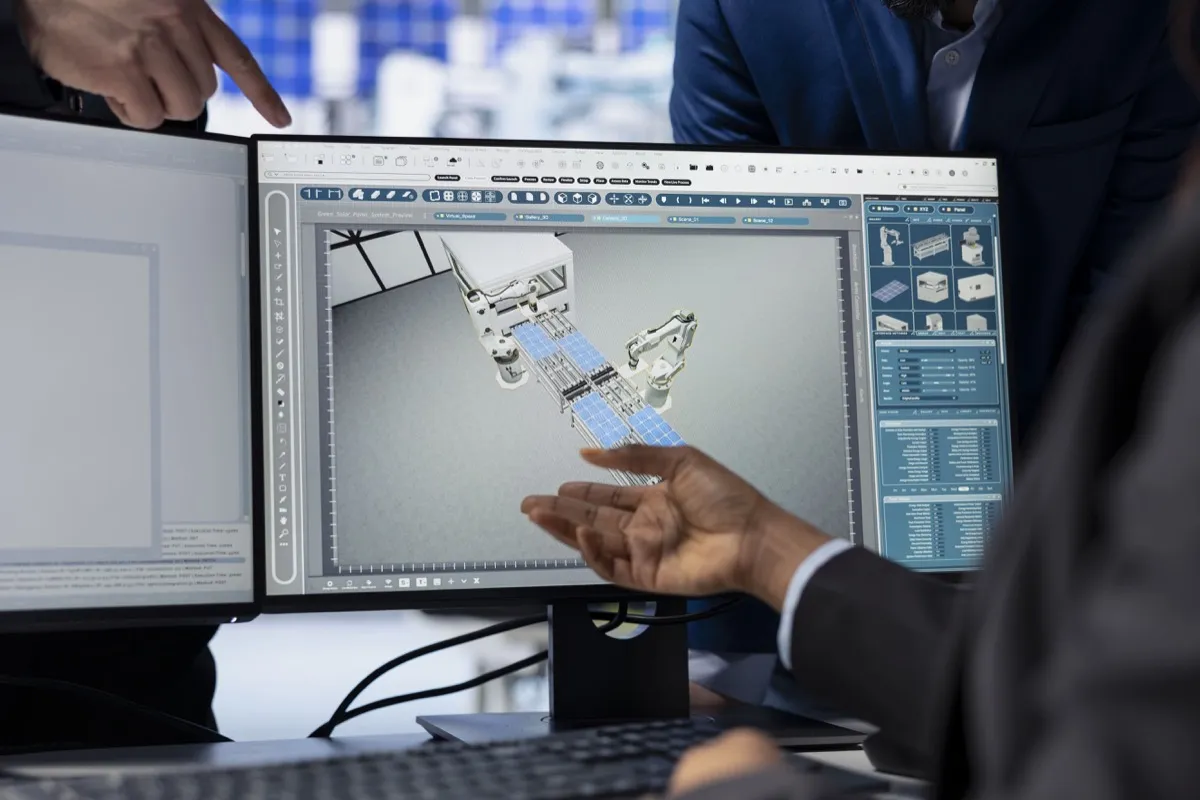
Screenshots aus CAD- und Engineering-Systemen sind wertlos. EPLAN-Schaltpläne, SolidWorks-Ansichten, FEM-Ergebnisse, Prozessdiagramme aus dem PLM-System: All das existiert primär als Bild. Es in Text zu übersetzen ist aufwändig, fehleranfällig und in der täglichen Praxis schlicht nicht skalierbar.
Handnotizen und Annotationen fallen komplett weg. In vielen Konstruktionsabteilungen steckt wertvolles implizites Wissen in handschriftlichen Anmerkungen auf Zeichnungen, in Post-its auf Ausdrucken, in Freihandskizzen aus Besprechungen. Für textbasierte KI-Systeme existieren diese nicht.
Der Unterschied wird im direkten Vergleich deutlich:
| Inhaltstyp | Textbasierte KI | Multimodale KI |
|---|---|---|
| Fließtext in PDFs | erfasst | erfasst |
| Technische Zeichnungen | unsichtbar | gelesen und durchsuchbar |
| Berechnungsblätter | nur Rohtext | Formeln und Tabellen verstanden |
| CAD-Screenshots | wertlos | interpretiert |
| Handnotizen | ignoriert | erkannt |
Was macht multimodale KI anders?
Multimodale KI-Systeme verstehen Text und Bild gleichzeitig. Das verändert, was möglich ist.
Ein Konstrukteur kann eine Seite aus einem technischen Handbuch einwerfen, mit Zeichnung, Maßkette und Normverweis, und fragen: "Gilt diese Toleranzangabe auch für unsere Aluminium-Variante?" Die KI liest die Seite so, wie ein Mensch sie lesen würde: Text und Bild zusammen, im Kontext.
Er kann einen Screenshot aus SolidWorks hochladen und fragen: "Haben wir eine ähnliche Baugruppe in einem älteren Projekt, bei der wir diesen Übergang anders gelöst haben?" Die KI durchsucht die Wissensbasis inklusive aller visuellen Inhalte und findet relevante Treffer.
Er kann ein eingescanntes Berechnungsblatt aus einem Archivprojekt einreichen und fragen: "Welche Sicherheitsfaktoren wurden hier angesetzt?" Die KI liest Formeln, Tabellen und handschriftliche Ergänzungen. Nicht nur den Fließtext.
Multimodale KI macht das möglich, was Ingenieure seit Jahren von KI-Systemen erwarten: eine Antwort auf das, was wirklich gefragt wurde.
Welche Quellenbelege helfen Konstrukteuren wirklich?
Einer der größten Unterschiede zwischen einem guten und einem schlechten KI-System im Konstruktionskontext ist die Art, wie Antworten belegt werden.
Ein textbasiertes System sagt: "Laut Dokument XY, Seite 12, gilt folgende Anforderung." Das ist ein Anfang. Aber der Konstrukteur muss trotzdem zu Seite 12 gehen, die Zeichnung aufschlagen und den relevanten Abschnitt visuell suchen.
Ein multimodales System kann mehr: Es zeigt den relevanten Bildausschnitt direkt in der Antwort. Die Maßkette, den Normverweis, den markierten Bereich in der Zeichnung. Der Konstrukteur sieht auf einen Blick, was gemeint ist. Kein Medienbruch, kein zusätzlicher Rechercheaufwand.
Das ist nicht nur komfortabler. Es ist auditierbar. Entscheidungen, die auf visuell belegten Quellen basieren, lassen sich nachvollziehen und dokumentieren. Gerade in regulierten Bereichen und bei Zertifizierungsprozessen ist das entscheidend.
Was bedeutet das für den Aufbau einer Wissensbasis?
Der Schritt zu multimodaler KI verändert auch, wie eine Wissensbasis aufgebaut werden sollte.
Der Reflex vieler Unternehmen ist: "Wir müssen unsere Zeichnungen erst in Text übersetzen, bevor wir KI sinnvoll einsetzen können." Das ist ein Irrtum. Und ein teurer dazu. Manuelle Textbeschreibungen von Zeichnungen sind fehleranfällig, zeitaufwändig und holen nie die volle Information aus dem Original.
Der richtige Ansatz ist umgekehrt: Dokumente so einzuspeisen, wie sie existieren. PDFs mit Zeichnungen als PDFs. Screenshots als Bilder. Berechnungsblätter in ihrem ursprünglichen Format. Die KI liest beides und braucht keine Vorab-Übersetzung.
Das bedeutet praktisch eine erheblich geringere Hürde beim Aufbau der Wissensbasis, ein deutlich vollständigeres Abbild des tatsächlichen Unternehmenswissens und eine KI, die von Anfang an mit dem arbeitet, was wirklich da ist.
Multimodalität in KoAssist
KoAssist ist von Grund auf multimodal ausgelegt. Zeichnungen, Berechnungsblätter, CAD-Screenshots und eingescannte Dokumente werden nicht als Randfall behandelt. Sie sind Teil der Wissensbasis, gleichwertig mit Textdokumenten.
Antworten kommen mit Quellenbelegen, die nicht nur Datei und Seite nennen, sondern den relevanten Bildausschnitt direkt mitliefern. Konstrukteure sehen, woher eine Information stammt. Visuell, ohne Umweg.
Denn Konstruktionswissen ist visuell. Das KI-System, das dabei helfen soll, muss es auch sein.
Wie multimodale Antworten in das Gesamtbild passen, zeigt unser Themen-Hub KI in der Konstruktion mit allen Anwendungsfällen im Überblick.
Auf derselben multimodalen Grundlage arbeitet die Zeichnungsprüfung, die Zeichnungen gegen die hinterlegten Konstruktionsrichtlinien prüft.
Häufige Fragen
Was ist multimodale KI und wie funktioniert sie?
Multimodale KI ist ein KI-System, das mehrere Informationsarten gleichzeitig verarbeiten kann, insbesondere Text und Bilder. Im Gegensatz zu rein textbasierten Systemen kann multimodale KI technische Zeichnungen, Berechnungsblätter und CAD-Screenshots lesen und verstehen, genau wie ein menschlicher Ingenieur es tun würde.
Kann KI technische Zeichnungen und CAD-Screenshots lesen?
Ja, multimodale KI-Systeme können technische Zeichnungen, CAD-Screenshots, FEM-Ergebnisse und sogar handschriftliche Annotationen auf Plänen erkennen und interpretieren. Voraussetzung ist, dass das System explizit für die Verarbeitung von Bild- und Textdaten ausgelegt ist, wie KoAssist.
Warum reicht textbasierte KI im Maschinenbau nicht aus?
Konstruktionswissen ist zu einem großen Teil visuell: Explosionszeichnungen, Maßketten, Berechnungstabellen und Schaltpläne kommunizieren Informationen, die sich in reinem Text kaum abbilden lassen. Ein textbasiertes KI-System ignoriert diese visuellen Inhalte und verarbeitet damit nur einen Bruchteil des tatsächlichen Wissens.
Welche Vorteile hat multimodale KI für Konstruktionsteams?
Konstruktionsteams profitieren von schnellerem Zugriff auf Wissen aus Zeichnungen und Dokumenten, visuellen Quellenbelegen direkt in der Antwort und einer deutlich niedrigeren Hürde beim Aufbau der Wissensbasis. Dokumente können so eingespeist werden, wie sie existieren, ohne aufwändige Vorab-Übersetzung in Text.
Wie baut man eine Wissensbasis für KI in der Konstruktion auf?
Der richtige Ansatz ist, Dokumente in ihrem ursprünglichen Format einzuspeisen: PDFs mit Zeichnungen als PDFs, Screenshots als Bilder, Berechnungsblätter im Originalformat. Multimodale KI liest Text und Bild gleichzeitig und braucht keine manuelle Vorab-Übersetzung, was den Aufbau erheblich vereinfacht.