Why Multimodal AI Takes Images as Seriously as Text in Engineering.
Technical drawings, calculations, screenshots from CAD systems: engineering knowledge is largely visual. Why AI systems that only understand text fall short in mechanical engineering.
 Lukas EbermannCo-Founder & CTO6 min read
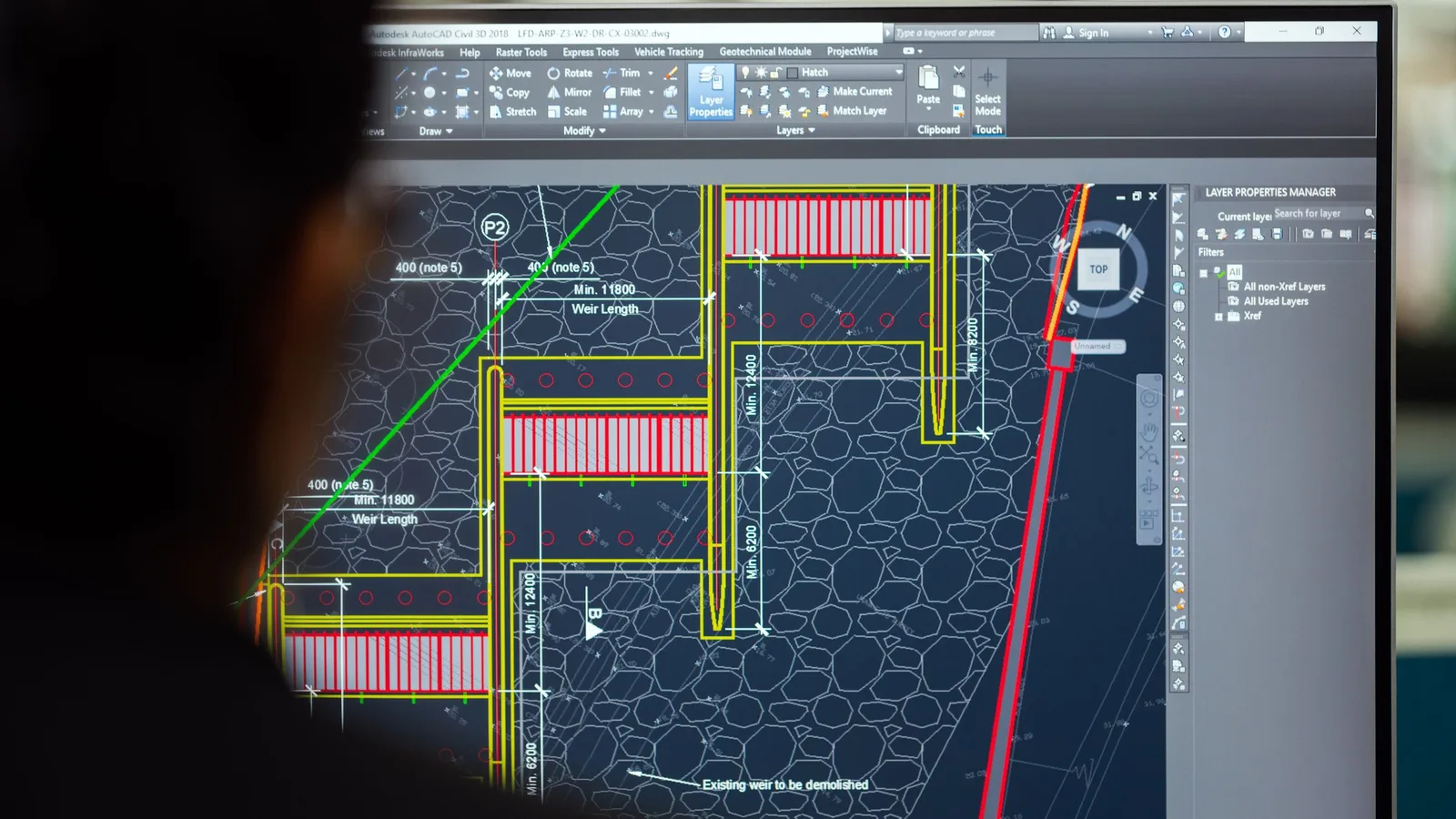
Multimodal AI processes text and image at the same time and therefore also understands technical drawings, calculation sheets, CAD screenshots and handwritten annotations. Purely text-based systems ignore this visual content and capture only a fraction of engineering knowledge. For mechanical engineering this is decisive, because a large part of the knowledge exists in visual form.
Contents
Imagine you are explaining a complex assembly to a new colleague. You send them the relevant standard, the internal wiki and the project documentation from the last similar job.
All as plain text. No drawings, no sketches, no screenshots from the CAD system.
How much do they understand? How quickly can they really work?
This is exactly the problem most AI systems in use today have. They can read text, search documents, formulate answers. But as soon as the actual knowledge sits in a drawing, a calculation sheet or a screenshot from EPLAN or SolidWorks, it stops. The AI sees: nothing.
In mechanical engineering this is a fundamental problem. Because engineering knowledge is largely visual.
What does engineering knowledge really look like?
Ask engineers where their knowledge sits and they rarely name the text documentation first. They name drawings. Component sketches. Handwritten notes on printed plans. Screenshots from the CAD system with dimension chains drawn in. Calculation tables in which the logic lies in the structure of the columns, not in descriptive text.
This is no coincidence. Engineering is a visual discipline. Technical drawings are the language in which engineers communicate. More precise, more efficient and more informative than any text description.
An exploded view shows in a single image what twenty pages of text could barely convey. A dimension chain with tolerance details contains, in a few lines and figures, more technical information than a whole paragraph of prose. A screenshot from the FEA program shows immediately where the critical stress areas lie.
Anyone who processes engineering knowledge only as text processes at most half of it. And usually not the most important half.
What is lost when AI cannot see?
The consequences are concrete and they show up in everyday practice.
Drawings stay out of reach. Most engineering documents are PDFs, and in practice PDFs contain both: text and images. Title blocks, parts lists, dimensions in text form, but also the actual technical drawing as vector graphic or image. A purely text-based AI system indexes the text and ignores the image. That means: the drawing, the most important part, is invisible to the AI.
Calculation sheets lose their meaning. Engineering calculations follow a visual logic. Formulas are not running text. Tables communicate through their structure. Diagrams show relationships that cannot be represented in rows of numbers. An AI that only reads the raw text of a calculation sheet does not understand the calculation. It sees only characters.
Screenshots from CAD and engineering systems are worthless. EPLAN wiring diagrams, SolidWorks views, FEA results, process diagrams from the PLM system: all of this exists primarily as image. Translating it into text is laborious, error-prone and, in everyday practice, simply not scalable.
Handwritten notes and annotations drop out entirely. In many engineering departments, valuable implicit knowledge sits in handwritten notes on drawings, in sticky notes on printouts, in freehand sketches from meetings. For text-based AI systems these do not exist.
The difference becomes clear in direct comparison:
| Content type | Text-based AI | Multimodal AI |
|---|---|---|
| Running text in PDFs | Captured | Captured |
| Technical drawings | Invisible | Read and searchable |
| Calculation sheets | Raw text only | Formulas and tables understood |
| CAD screenshots | Worthless | Interpreted |
| Handwritten notes | Ignored | Recognized |
What does multimodal AI do differently?
Multimodal AI systems understand text and image at the same time. That changes what is possible.
An engineer can drop in a page from a technical manual, with drawing, dimension chain and reference to a standard, and ask: "Does this tolerance also apply to our aluminum variant?" The AI reads the page the way a human would read it: text and image together, in context.
They can upload a screenshot from SolidWorks and ask: "Do we have a similar assembly in an older project where we solved this transition differently?" The AI searches the knowledge base including all visual content and finds relevant matches.
They can submit a scanned calculation sheet from an archive project and ask: "Which safety factors were applied here?" The AI reads formulas, tables and handwritten additions. Not just the running text.
Multimodal AI makes possible what engineers have expected from AI systems for years: an answer to what was really asked.
Which source evidence really helps engineers?
One of the biggest differences between a good and a bad AI system in the engineering context is the way answers are backed up.
A text-based system says: "According to document XY, page 12, the following requirement applies." That is a start. But the engineer still has to go to page 12, open the drawing and search the relevant section visually.
A multimodal system can do more: it shows the relevant image section directly in the answer. The dimension chain, the reference to the standard, the marked area in the drawing. The engineer sees at a glance what is meant. No media break, no additional research effort.
This is not just more convenient. It is auditable. Decisions based on visually documented sources can be traced and documented. In regulated areas and in certification processes in particular, this is decisive.
What does this mean for building a knowledge base?
The step to multimodal AI also changes how a knowledge base should be built.
Many companies' reflex is: "We have to translate our drawings into text first before we can use AI sensibly." That is a mistake. And an expensive one at that. Manual text descriptions of drawings are error-prone, time-consuming and never extract the full information from the original.
The right approach is the opposite: feed documents in as they exist. PDFs with drawings as PDFs. Screenshots as images. Calculation sheets in their original format. The AI reads both and needs no upfront translation.
In practice this means a considerably lower barrier to building the knowledge base, a far more complete picture of the actual company knowledge, and an AI that works from the start with what is really there.
Multimodality in KoAssist
KoAssist is multimodal by design. Drawings, calculation sheets, CAD screenshots and scanned documents are not treated as edge cases. They are part of the knowledge base, on equal footing with text documents.
Answers come with source evidence that does not just name the file and page but delivers the relevant image section directly. Engineers see where a piece of information comes from. Visually, without a detour.
Because engineering knowledge is visual. The AI system meant to help with it has to be too.
To see how multimodal answers fit into the whole picture, our topic hub AI in Engineering Design maps out all the use cases.
The drawing check works on the same multimodal foundation, checking drawings against your stored design guidelines.

Frequently asked questions
More from the blog
Back to overview- 05 November 2026Article4 min
What happens to project knowledge when a quarter of the workforce in machine building retires?
By 2034 about 296,000 employees in German machine building will retire, while only about 118,000 will follow. What gets lost in the project business, and how to keep the knowledge in the project before the experienced people leave.
4 min - 03 November 2026Article7 min
Why does project status in Excel, OneNote and email take so long to pull together?
Open-points list in Excel, meeting notes in OneNote, decisions buried in email threads. Why the project status in plant engineering has to be rebuilt every time, and how it can assemble itself from the sources.
7 min - 26 October 2026Article7 min
How to keep the internal and customer versions of a status report apart
What belongs in a status report for the customer, what never does, and how to produce both versions from the same project status so internal remarks never reach the customer.
7 min