Check before production does.
Checks technical drawings against your stored engineering guidelines and the standards that go with them. Before release, not after.
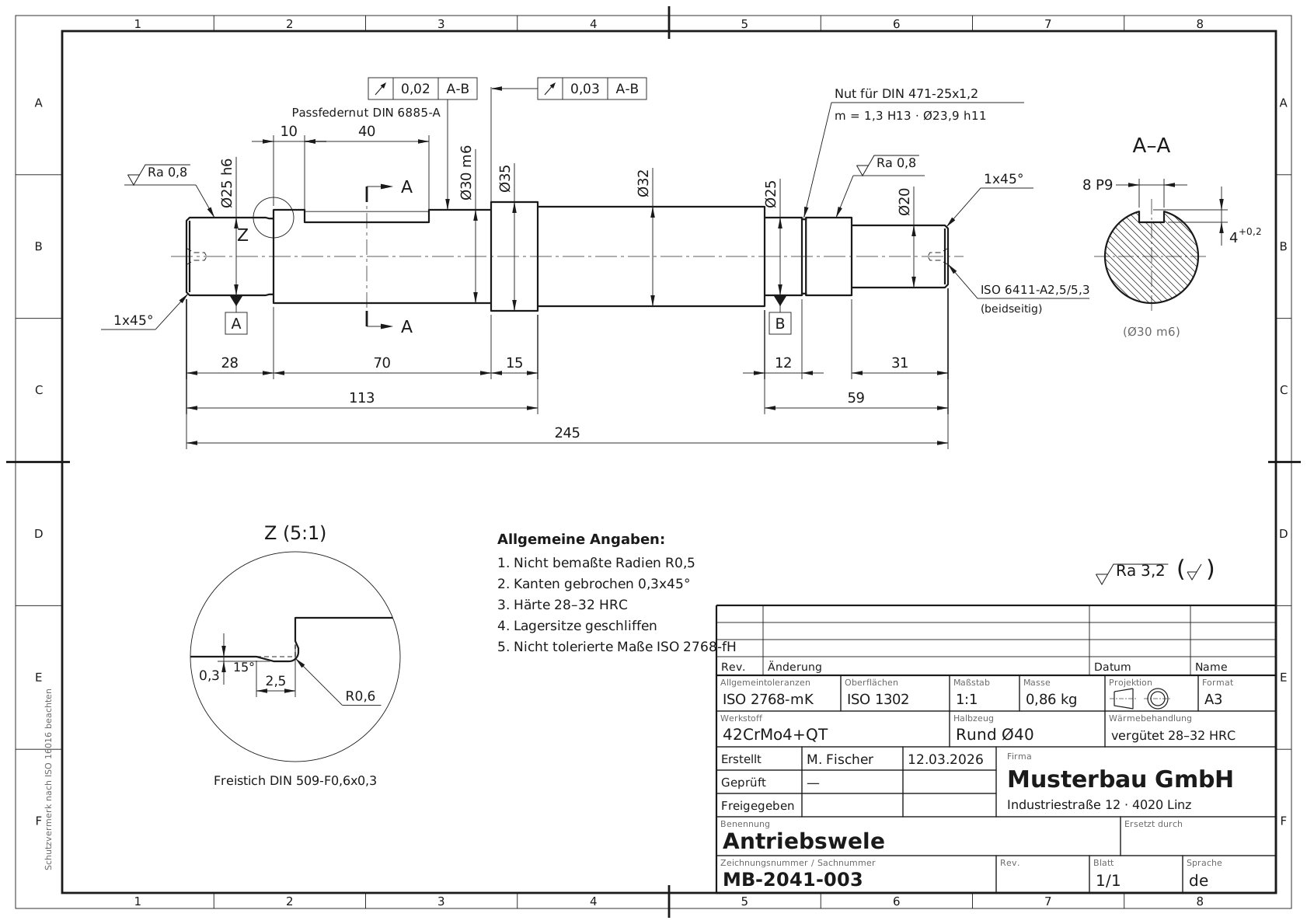
From the drawing to a documented check report.
Take drawings in
Create a project, upload drawings or bring in a whole folder. Nothing enters the check inventory unasked.
Check against your rules
Standards and your in-house rules run in a single pass. You start the check, for one sheet or the whole project.
Findings on the sheet
Every finding names the rule and the severity. Where the spot is unambiguous, it is marked on the drawing.
Assess and close out
You say for each finding whether it counts. At the end there is a check report as a PDF.
What you set up, and what KoAssist then does by itself.
You set up your guideline once. The rest runs along with every check.
Your guideline becomes a rule set
Upload the guideline as PDF or Word. KoAssist turns it into checkable rules, each with its source. You approve what applies, and adjust it per project.
Sentence in the guidelineProposed rule“Edges shall be deburred.”Edge condition per ISO 13715“Tolerances per ISO 2768-mK.”General tolerance class mK“Material per EN 10027.”Material designated to standard14 proposals, 11 approvedWork through a whole project in one go
Sheet by sheet in a fixed order. Findings of the same kind are assessed in one go. What you dismissed stays dismissed at the next revision too.
Sheet 7 of 24General tolerance reference missingFor all in the project12MB-2041-007 · Bearing blockMB-2041-012 · CoverMB-2041-018 · FlangeFinds the spot even without a text layer
Drawings from AutoCAD plot text as strokes, not as text. KoAssist reads them anyway, with text recognition that needs no external service.
MB-1987-114_BearingPlate.pdfText plotted as strokes, no text layerCheck report as PDF, inventory as Excel
One PDF per check run with the annotated drawing, the findings and the check protocol. The whole check inventory exports as Excel.
FindingSeverityGeneral tolerance reference missingWarningScale not per ISO 5455NoteCheckReport_MB-2041-003.pdf2 findings, with annotated drawingPDF
The effort is not in the judgement, it is in the looking up.
Today
5 to 15 min
a sheet, by hand against standards and guideline.
With KoAssist
2 to 4 min
a sheet. The findings are there, you assess them.
On a batch of 50 drawings that is two and a half hours instead of a good eight.
Indicative values per sheet
The check stays with you.
KoAssist does not replace the checker. It puts the findings on the table, and the checker says for each one: real error or not. The searching is gone, the deciding is not.

Find out with Yanik whether KoAssist fits your engineering team.
Book a free conversationCommon questions.
Does the check decide on release?
No. For every finding you say whether it counts. The final judgement stays in engineering. KoAssist only puts it in front of you.
Where do the rules come from at the start?
A base catalogue to ISO and DIN is built in: title block, scale, material designation, general tolerances, fits and threads. Your own guidelines sit on top and tighten or replace the catalogue wherever you want them to.
Does KoAssist read dimensions and tolerances from the geometry?
No. What is checked are the specifications on the sheet: title block, references to standards, material, fit and thread designations. Measuring the geometry itself is not part of the check.
What if the check misses something?
It is a second pair of eyes before release, not a replacement for yours. Where KoAssist is unsure it reports nothing rather than something wrong. Anything only recognisable from the image comes to you marked “please verify”, never as a hard statement.
The other two modules.
Knowledge Assistant
Answers from standards, specs and project files in seconds. Every statement backed by file, page and section.
View knowledge assistantSimilar-Part Search
Compares geometry and dimensioning across your inventory and shows similar parts with drawing number and material.
View similar-part search